Team Management
The right access for every role
Add your team, set roles and control who sees what, with sensible defaults and clean visibility rules — so the CRM scales with the team without becoming a free-for-all.
Priya N.
Manager
Aarav S.
Rep
Rohan D.
Rep
Toggle export access per member
See team health and goals at a glance
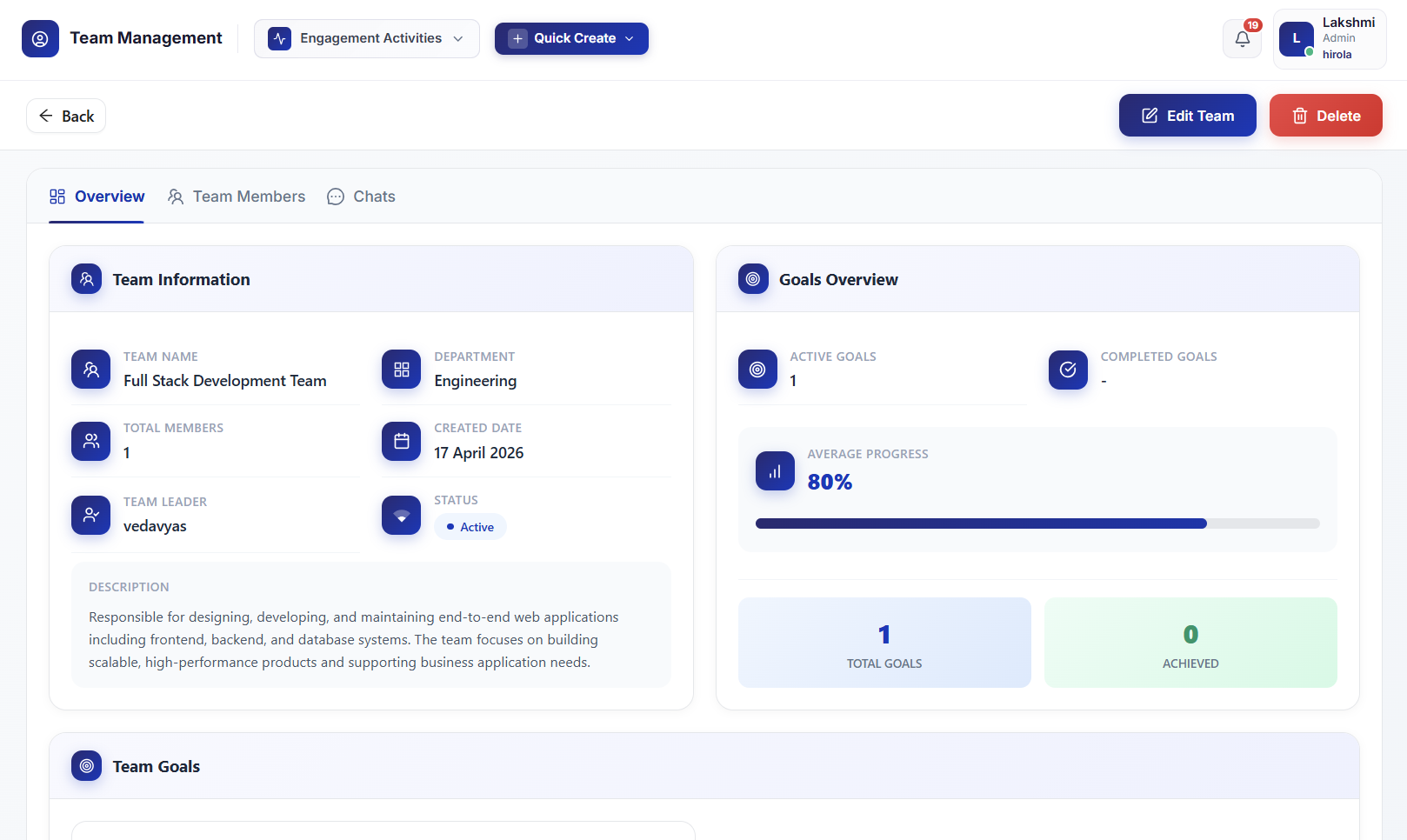
Team information, members and goals in a single overview — average progress, active and completed goals, the team lead and department — so accountability is always clear.
- Role-based access control
- Owner and manager visibility rules
- Teams and territories
- Change audit trail
How Team Management works
The right access for every role. Inside EazyGrowth's connect stage, Team Management runs as a clear, repeatable flow — 4 steps that carry the work from invite to audit, with every action captured on the same record so nothing is re-keyed or lost between tools.
Invite
Team members are added with a role.
Scope
Visibility rules decide what they see.
Organise
Reps group into teams and territories.
Audit
Changes are logged for accountability.
Why it works
Why teams choose Team Management
Add your team, set roles and control who sees what, with sensible defaults and clean visibility rules — so the CRM scales with the team without becoming a free-for-all. It is one of the reasons EazyGrowth replaces a stack of disconnected tools with a single platform where marketing and sales share the same data.
Roles & permissions
Grant the right access by role, with sensible defaults out of the box.
Ownership rules
Reps see their records; managers see the team; sensitive fields stay masked by policy.
Team structure
Organise reps into teams and territories that match how you actually operate.
Audit trail
Every meaningful change is recorded, so accountability is built in.
AI built into Team Management
The same AI that runs across EazyGrowth — Zuno, the agentic assistant, and Helix, the forecasting engine — works right inside Team Management, so the intelligence sits on the record instead of in a separate tool you have to wire up.
AI Summary
One tap turns a record's full history — emails, calls, notes and deals — into a tight summary and a clear next step.
Zuno AI
Your agentic AI layer. Ask Zuno in plain language and it drafts, summarises, updates records and proposes the next action across the CRM — not just a chat box.
More in Connect
All featuresTeam Management, answered
Yes — ownership and role rules control record visibility, and sensitive fields can be masked by role.
Meaningful changes are recorded so you always know who changed what, and when.
Yes — leads, contacts, deals and every activity live on the same record, so marketing and sales see one story and nothing is re-keyed.
Zuno is an agentic AI layer, not a chat widget. It reads your data, drafts emails, scores leads, summarises records and proposes the next action right inside the view you are in.
Yes — roles and ownership rules govern visibility, sensitive fields can be masked by role, and every change is written to an audit trail.
EazyGrowth is multi-tenant by architecture. Your business scope is enforced on every query, export and API call.
Import your leads and contacts with guided field mapping, publish a form, connect a channel, and you are capturing and selling the same day.
Yes — both are available, with annual typically costing less. Live prices on the pricing page sync from billing.
See EazyGrowth on your own pipeline
A quick guided walkthrough with your sales motion in mind — the real product, not slides.